
Case study / Data infrastructure
Turning complex data operations into a workspace teams can reason about.
Overview
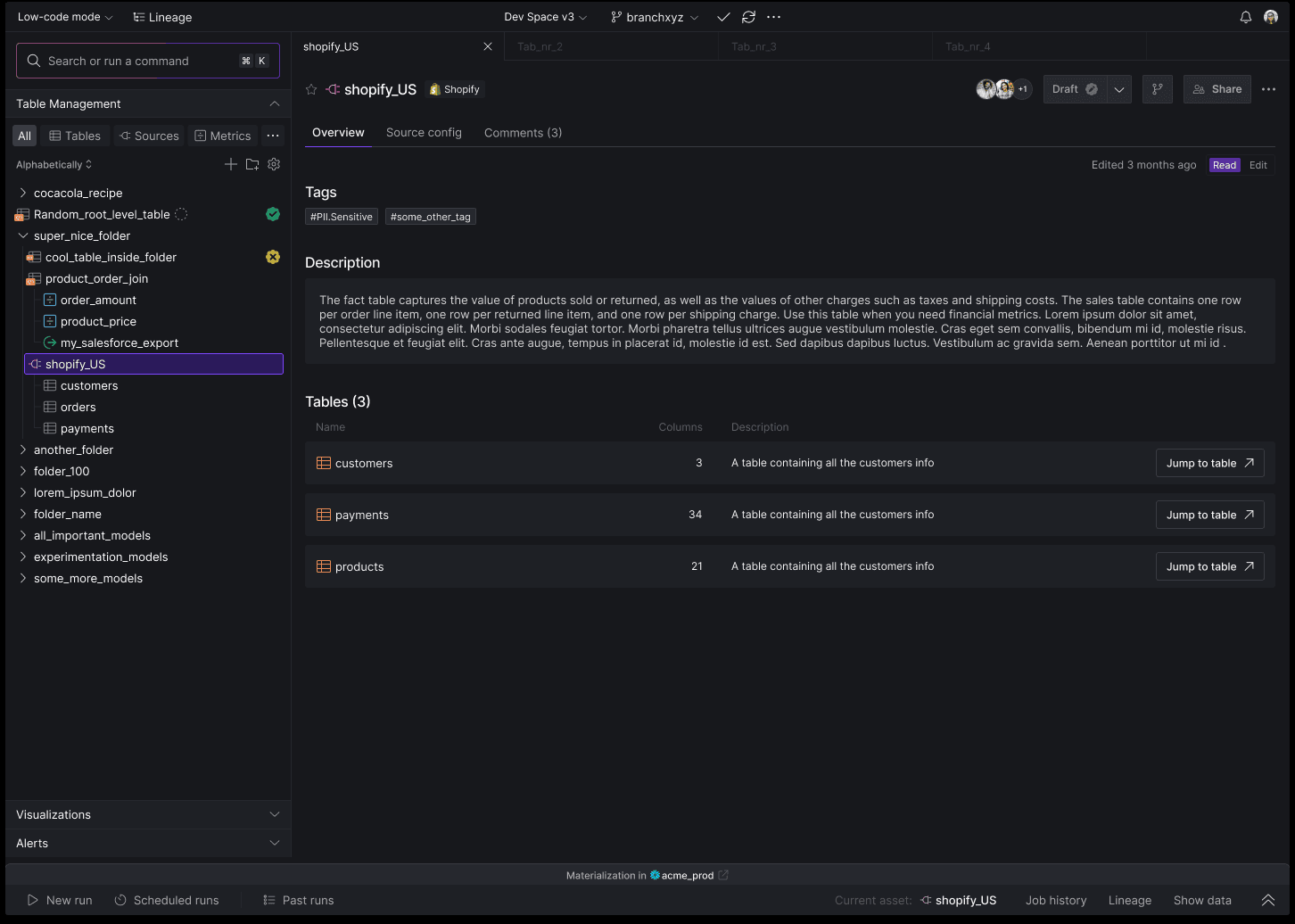
A product-system redesign for technical teams working across data sources, tables, lineage, runs, and operational state inside one collaborative workspace.
Core contribution
- Product model and complex workflow design
- Information architecture for connected data assets
- Interaction patterns for state, lineage, and ownership
- Scalable UI system for dense technical surfaces
The challenge
Technical power is useful only when teams can understand its state.
Data work spans sources, models, dependencies, environments, runs, and collaborators. The problem was not simply fitting more information on screen. It was helping technical users answer basic operational questions quickly: What am I looking at? How is it connected? Is it healthy? Who owns it? What can I safely do next?
Product model
Make the asset the stable center of the workspace.
I organized the interface around persistent data assets and their relationships. Navigation exposes hierarchy without separating users from the active object, while the main workspace brings description, schema, configuration, comments, and state into a shared frame. This creates continuity as users move from overview to investigation and action.
Operational clarity
Surface status and consequence at the moment of action.
Read and edit modes, environment context, validation state, run history, and collaboration controls are placed where decisions happen. The system uses restrained color and repeatable status patterns so exceptions stand out without turning the entire workspace into an alert surface.
System design
Build a visual language that can absorb technical complexity.
Dense navigation, tables, tabs, metadata, and command surfaces were treated as one product system rather than isolated screens. Shared spacing, state, and hierarchy rules make new workflows feel related, giving the platform room to grow while preserving a predictable operating model.
Outcome